
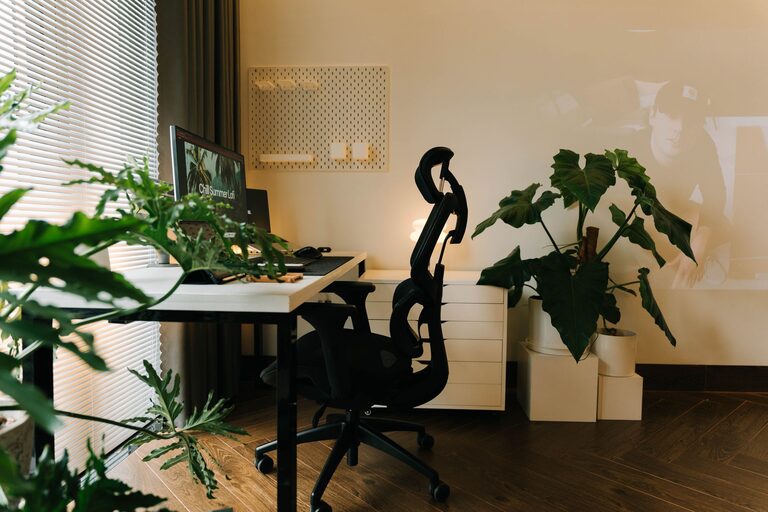
Creating a comfortable and productive home office space is essential for anyone working remotely or running a business from home. A well-designed workspace can enhance focus, reduce stress, and improve overall work quality. In this post, we will explore practical tips to help you set up a home office that feels both inviting and efficient.
Choose the Right Location
Selecting the ideal spot for your home office is the first step toward creating a productive workspace.
– Quiet and Private: Look for a location that limits distractions and noise. A spare room, a quiet corner, or even a small nook can work well.
– Natural Light: Try to choose a space with plenty of natural light. Sunlight can uplift your mood and reduce eye strain.
– Proximity: Consider a spot near necessary resources, such as electrical outlets and your internet router.
Invest in an Ergonomic Chair and Desk
Comfort is a key factor in productivity. An ergonomic chair and desk can prevent fatigue and physical discomfort.
– Ergonomic Chair: Choose a chair that supports your lower back, encourages good posture, and allows for height adjustment.
– Desk Height: Your desk should allow your arms to rest at a 90-degree angle while typing. Adjustable desks are a great option.
– Consider a Standing Desk: Alternating between sitting and standing can reduce strain and boost energy.
Organize Your Workspace Efficiently
Organization helps keep your mind clear and your tasks in order.
– Declutter Regularly: Keep only essential items on your desk to avoid distraction.
– Storage Solutions: Use shelves, drawers, and organizers to store documents and supplies out of sight.
– Cable Management: Use clips, sleeves, or ties to keep cords neat and prevent tangling.
Optimize Lighting for Comfort and Productivity
Proper lighting reduces eye strain and creates an inviting atmosphere.
– Use Layered Lighting: Combine natural light, overhead lighting, and task lighting.
– Adjustable Desk Lamps: A lamp with adjustable brightness and positioning can help focus on detailed tasks.
– Avoid Glare: Position screens and light sources to prevent glare.
Personalize Your Workspace
Adding personal touches can make your office feel more inviting and motivate you throughout the day.
– Plants: Indoor plants improve air quality and add a touch of nature.
– Artwork or Photos: Choose images that inspire or calm you.
– Color Choices: Use colors that boost focus or creativity, such as blues or greens.
Minimize Noise and Distractions
Maintaining concentration is easier when noise and distractions are limited.
– Noise-Canceling Headphones: These can help block out background noise if you cannot control it.
– White Noise Machines: These devices create ambient sounds that can improve focus.
– Set Boundaries: Communicate work hours with household members to reduce interruptions.
Manage Technology Wisely
Having the right technology setup minimizes frustrations and keeps you connected.
– Reliable Internet: Ensure your internet connection is fast and stable for video calls and online work.
– Multiple Monitors: Using two screens can enhance multitasking and productivity.
– Regular Backups: Keep your work safe with automatic cloud backups or external drives.
Promote Healthy Habits
Your workspace should support your physical and mental well-being.
– Take Breaks: Schedule short breaks to stretch and rest your eyes.
– Hydration Station: Keep a water bottle nearby to stay hydrated.
– Air Quality: Ventilate your space regularly or use air purifiers for fresh air.
Final Thoughts
Creating a comfortable and productive home office involves thoughtful planning and ongoing adjustments. By focusing on location, comfort, organization, and ambiance, you can design a workspace that supports your best work every day. Remember, your home office should be a place where you feel comfortable and motivated—making work not just a task, but a positive part of your routine.